A guided tour
Every feature your practice runs on
From the first lead to a decades-long client relationship, UltimateCRM covers the full lifecycle of an advisory practice. Here's a closer look at what's inside.
Relationship management
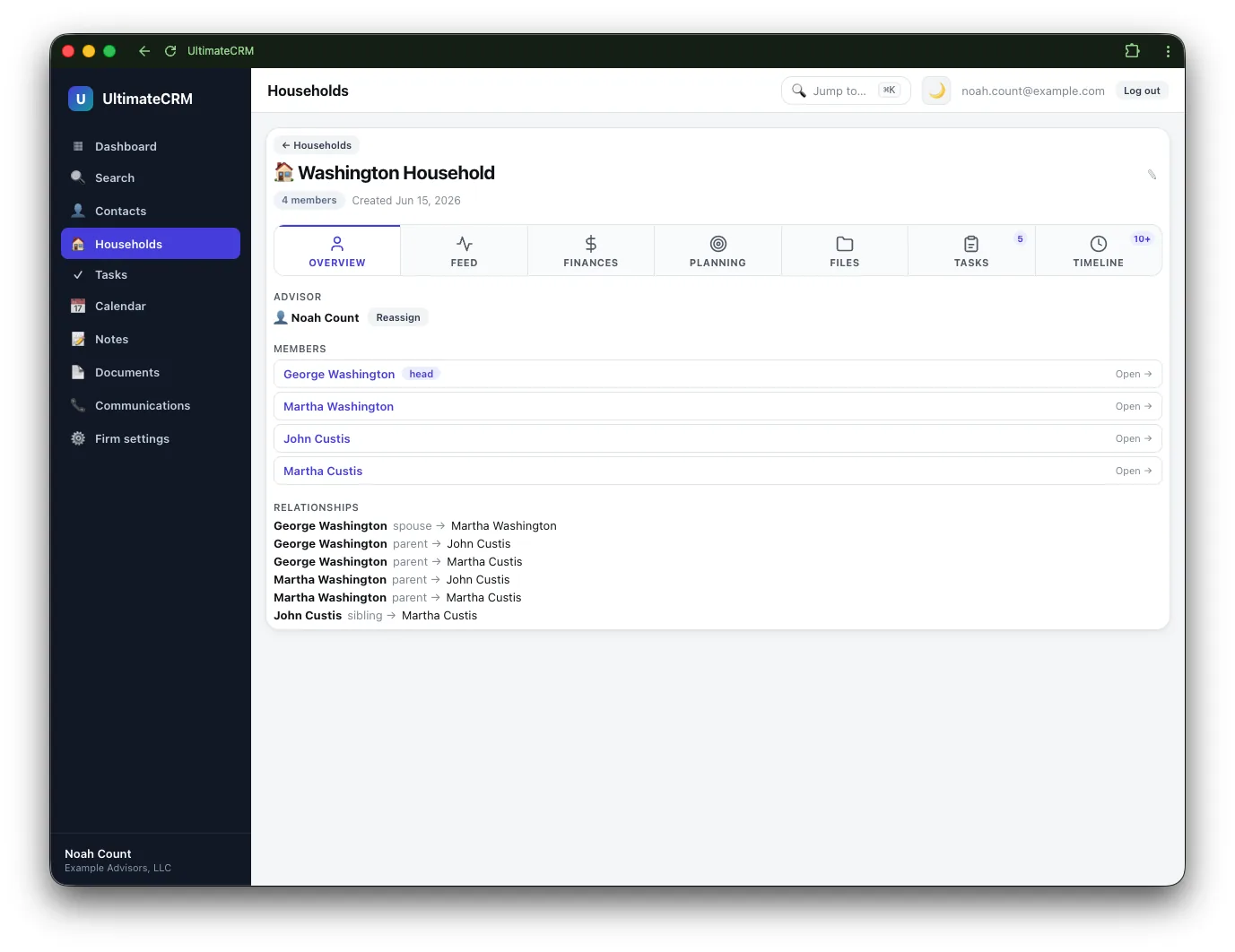
Households at the center
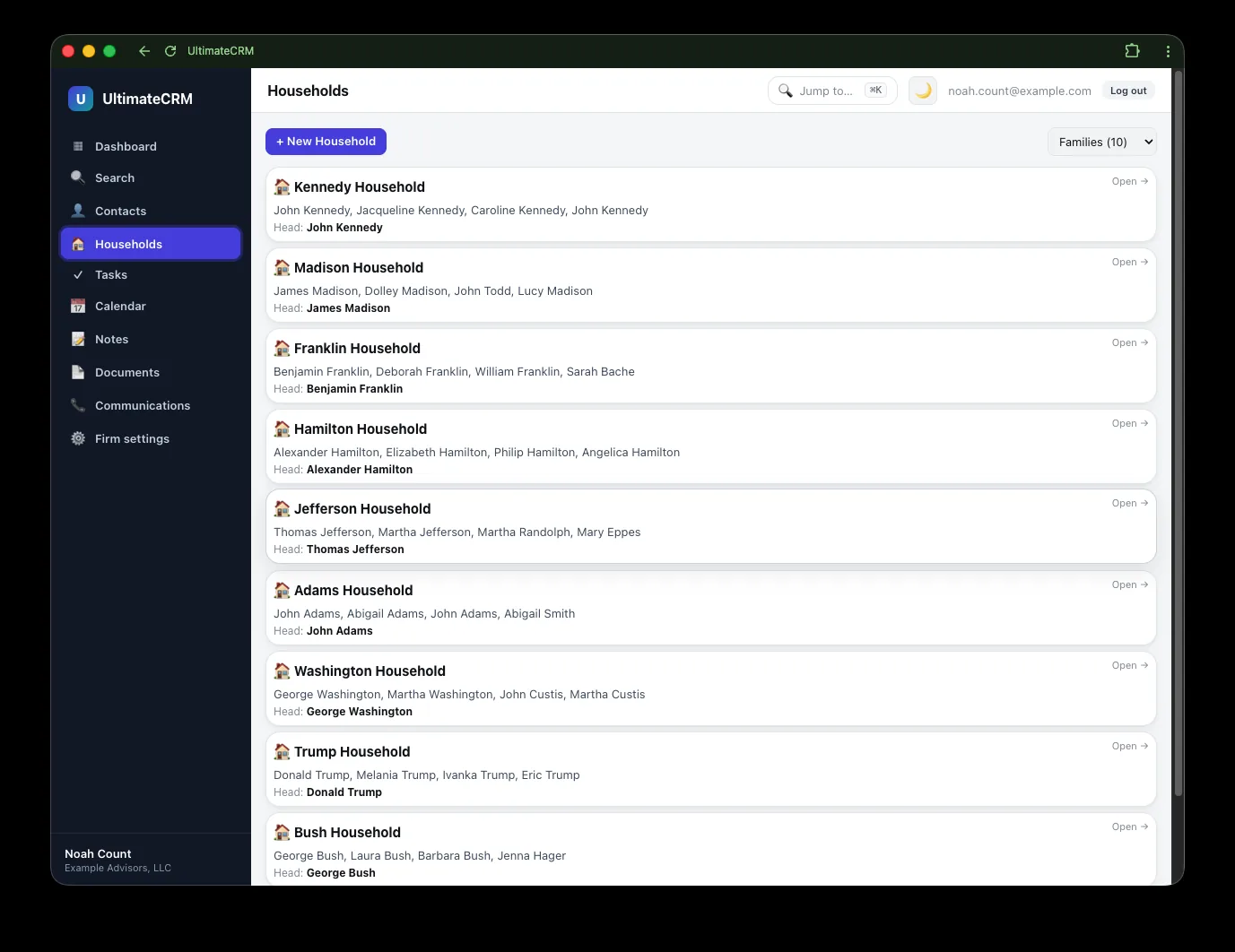
Real clients come as families, not rows in a table. Every contact belongs to a household, and the people, accounts, and documents that matter are always one click away.
- Rich contact profiles with photos and social links
- Notes, tasks, documents, and activity roll up across the whole household
- An auto-organized document folder tree for each household
- Move a member and their files re-home automatically
Financial planning
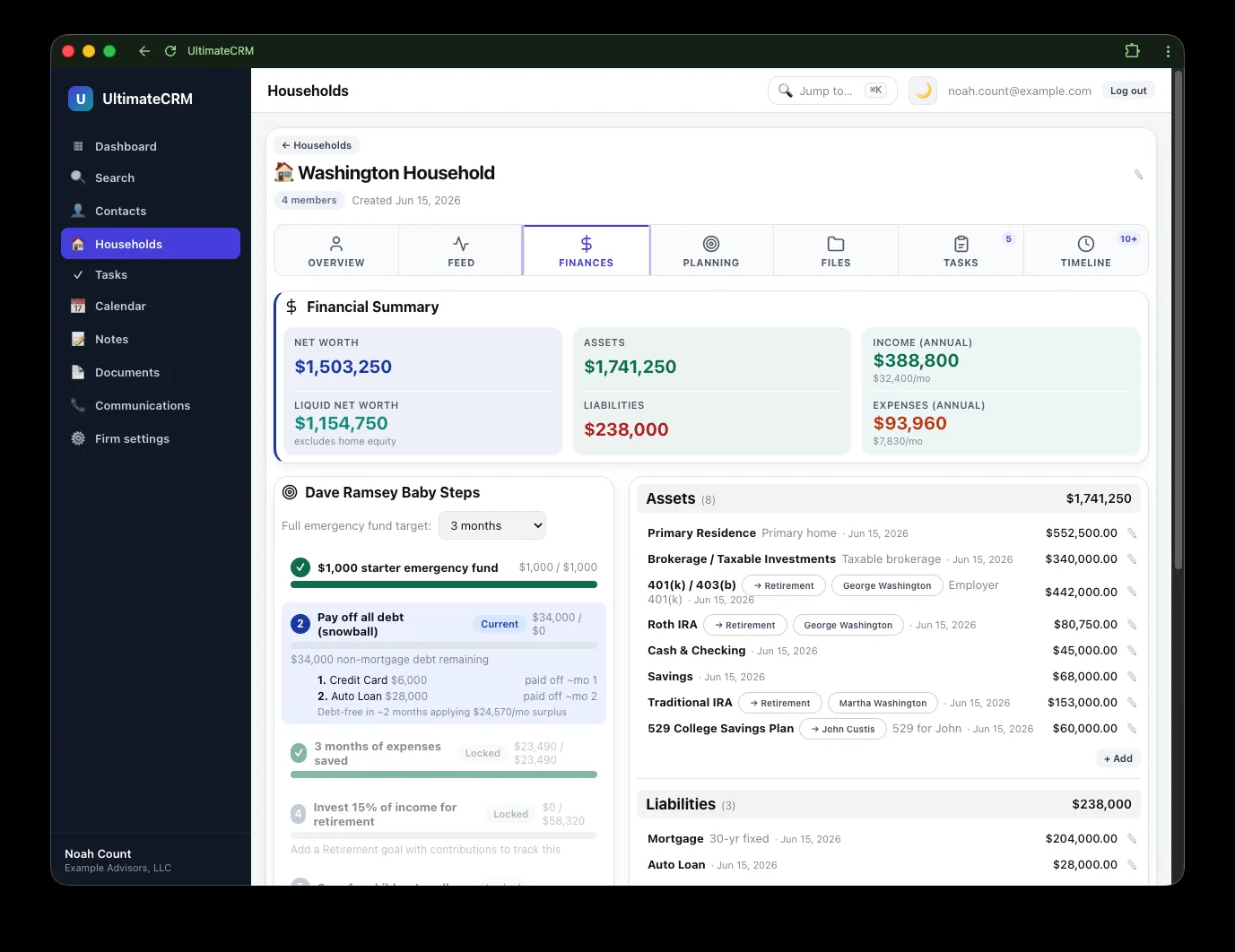
One wealth profile, every view
Enter a household's finances once. UltimateCRM uses that single dataset to power net worth, cash flow, tax planning, and the client's KYC profile — no duplicate data entry, no drift.
- Net worth tracking with trend over time
- Tax-planning views built on the current year's brackets and rules
- Insurance and estate details kept alongside the plan
- A printable review packet for client meetings
Household finances, net worth, and insurance tracking are on every plan. Tax planning, estate, and the KYC profile belong to the Professional planning and compliance suites.
Retirement decision engine
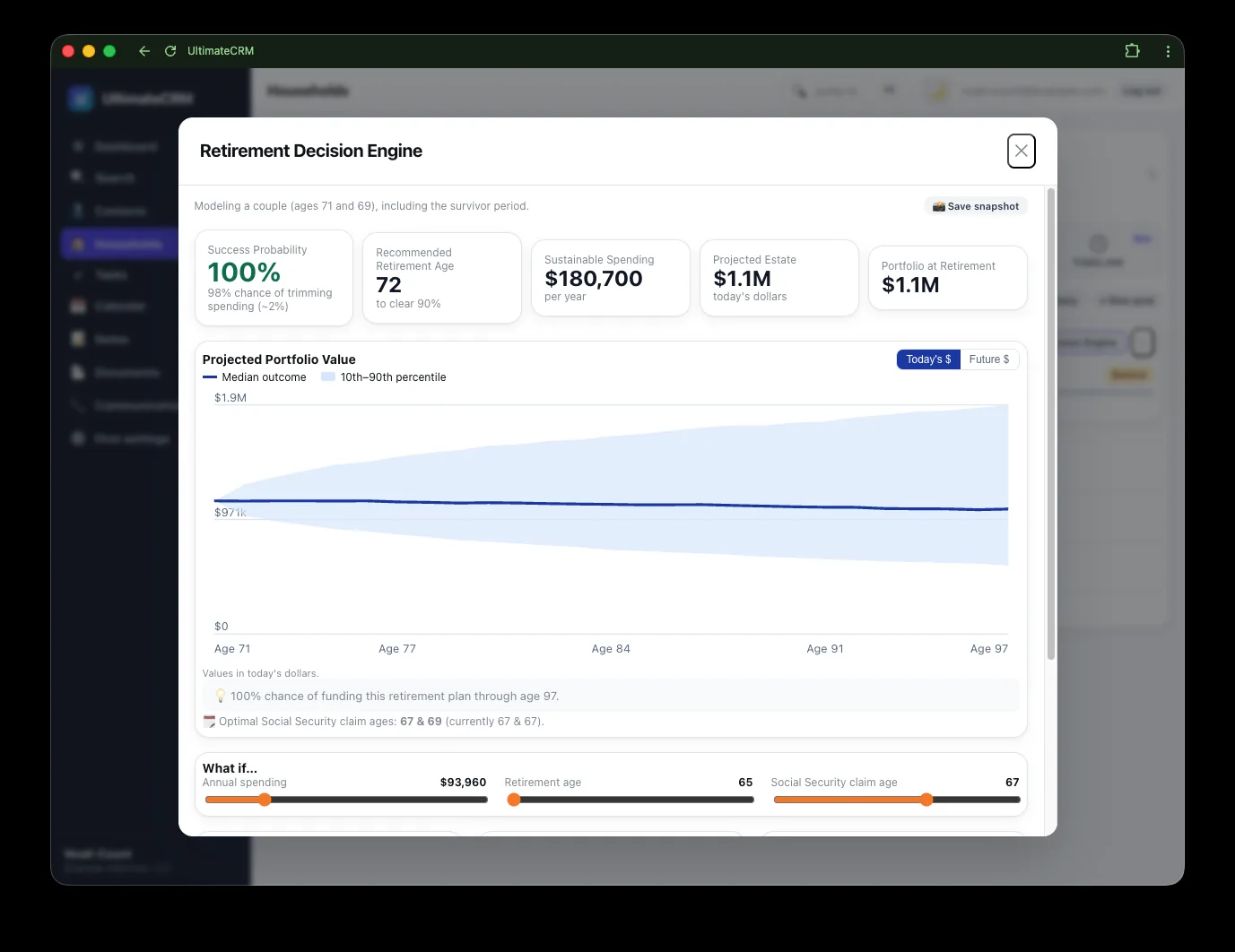
Model the future, not just the present
Our lifecycle Monte Carlo engine runs thousands of scenarios that account for couples, taxes, required minimum distributions, and spending guardrails — turning uncertainty into a clear recommendation.
- Probability-of-success projections you can defend
- Couples modeling with Social Security timing
- Taxes and RMDs woven into every scenario
- Live what-if levers — move retirement age or spending and watch the number move, in the meeting
- Save a lever set as a named scenario and compare it side by side with the plan of record
- Strategy lever — ask "what if this household were in Growth 80/20?" and the page answers at once, with the suitability verdict beside each approved strategy; adopting it places the strategy on their accounts
- Meeting Mode — a full-screen, client-facing view of the plan: the number, the chart, the guardrails, and the levers, with your internal drivers and recommendations left behind
- Every projection ends with a methodology and assumptions disclosure
KYC & compliance
Always audit-ready
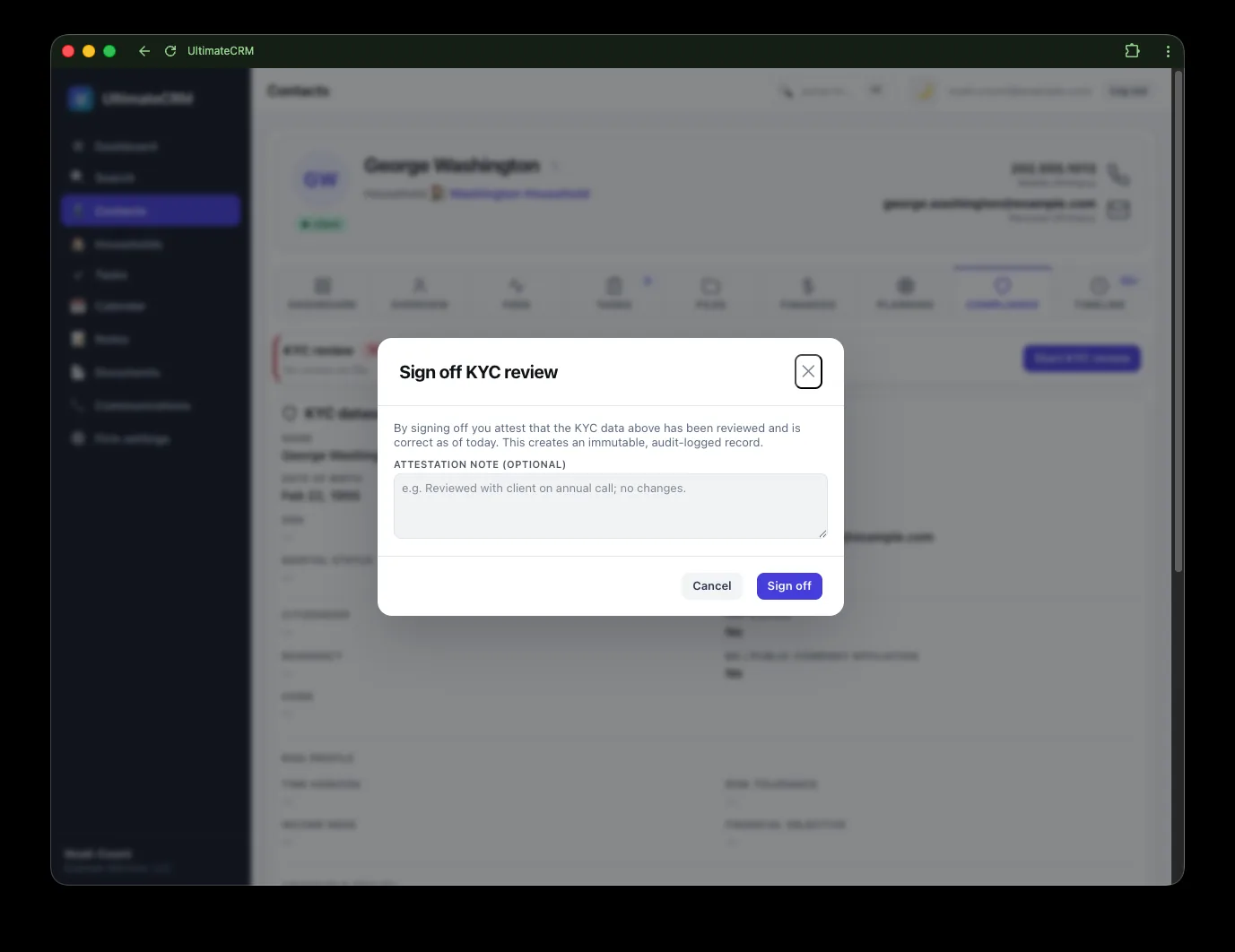
Know-your-client profiles, suitability attestations, and a complete books-and-records trail are part of the platform — not a separate binder you have to remember to update.
- KYC wealth data derived from the plan, with overrides where you need them
- Compliance attestations tracked per client
- Every call, message, and email captured for the record
- Recordings and voicemails retained alongside the contact
KYC profiles, the compliance suite, and communications capture are included from the Professional plan up; recording archives are a Max-plan feature.
Compliance operations
A compliance command center
Beyond per-client attestations, UltimateCRM gives your CCO a firm-wide cockpit: a live worklist of obligations, automated surveillance, supervisory sign-off, and a versioned books-and-records library.
- An obligation worklist that blends auto-derived items — KYC refreshes, rollover reviews — with manual tasks
- Communications surveillance that flags messages for review
- Principal and supervisory review queues with documented sign-off
- A versioned document register with approve, retire, and supersede workflows
- SEC 17a-4 / 204-2 retention with a delete-guard on protected records
- The compliance office: ADV filings, marketing review, complaints, personnel and the code of ethics, sanctions screening, and the annual review — with an exam packet that carries every record
Investment committee
Model portfolios, decided on the record
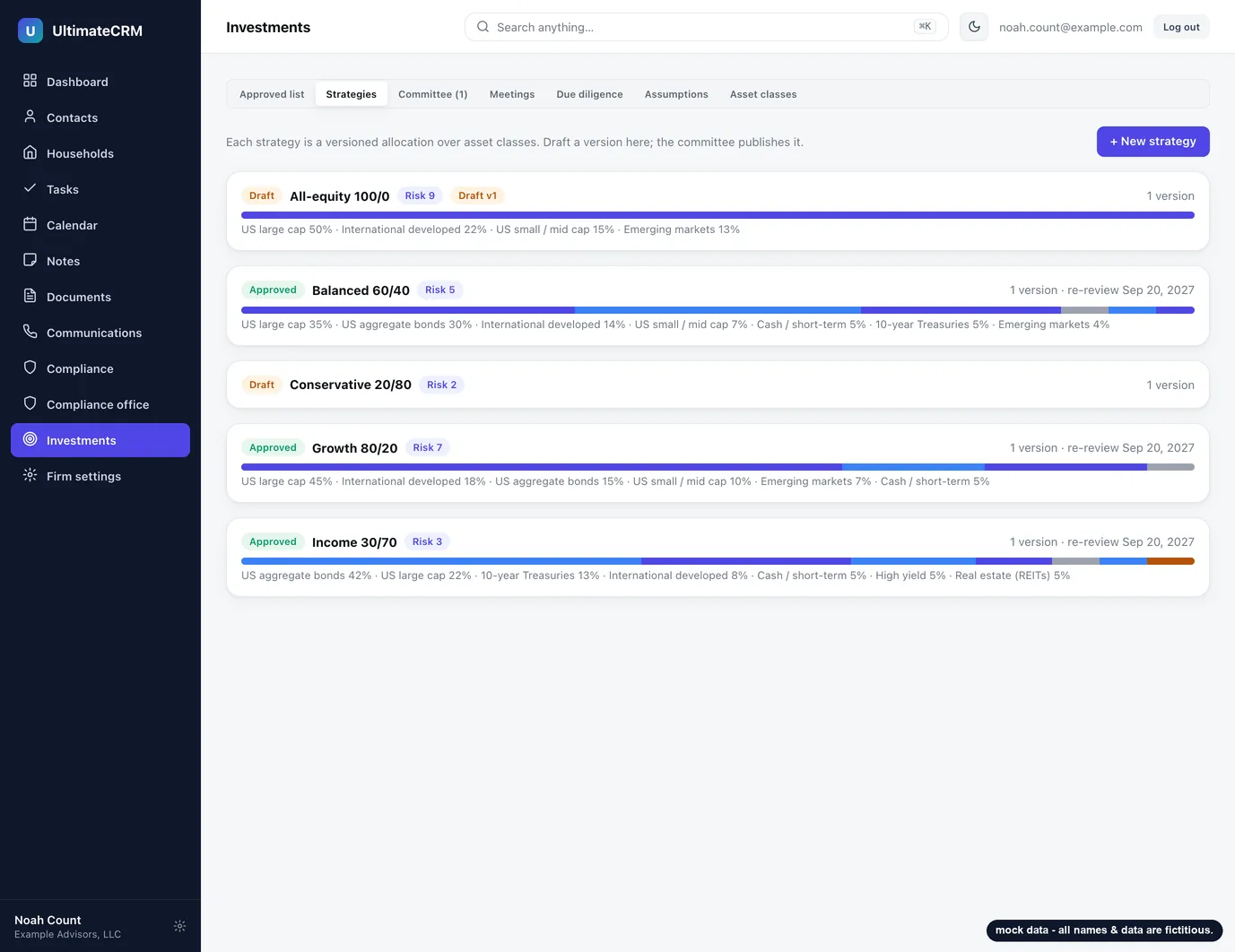
The strategies your firm actually uses, kept where the examiner will look for them: a versioned catalogue, a committee that votes, an approved list with its history, a due-diligence file per strategy — and the line from each decision to the client it was placed on.
- Versioned allocations over a shared asset-class vocabulary, with a benchmark blend and a diff between versions
- Proposals to publish, retire or reaffirm; members vote, quorum carries it, and the proposer never counts
- A committee of one decides alone with a written rationale and an attestation, marked plainly on the record
- Re-review reminders on each strategy's cadence, and minutes for the meetings that took them up
- The approved list, every decision with its votes, and the file, all in the exam packet
- One set of capital-market assumptions, published by the committee; the risk tiers and every plan derive from it, and each plan report names the set it ran on
- Approved strategies placed on a client's accounts, with a suitability verdict from their KYC risk range and a review when it mismatches
- Plans run on the household's assigned blend; a departure outside the firm's band waits for a principal's approval, with the reason on the record
- An Investment Policy Statement and a client proposal generated from the same data, accepted by the client in the portal
Included from the Professional plan up.
Specialized planning
Purpose-built planning modules
A plan is more than a net-worth snapshot. Dedicated modules cover the decisions families actually face — rollovers, college, insurance, estate, and year-by-year tax strategy.
- Rollover analysis to document and compare IRA rollover recommendations
- Multi-year Roth conversion comparison — adopt a schedule and it carries into the plan
- Estate flow diagrams showing who inherits what under each death scenario, plus a beneficiary register
- College funding projections for each child
- Insurance coverage tracking that surfaces gaps
- Year-by-year tax-planning views on the current brackets
Three deliverables, one click: a one-page plan, a full review packet for the meeting, and a PDF plan report stored as a books-and-records artifact with a compliance footer.
Unified communications
One timeline for every interaction
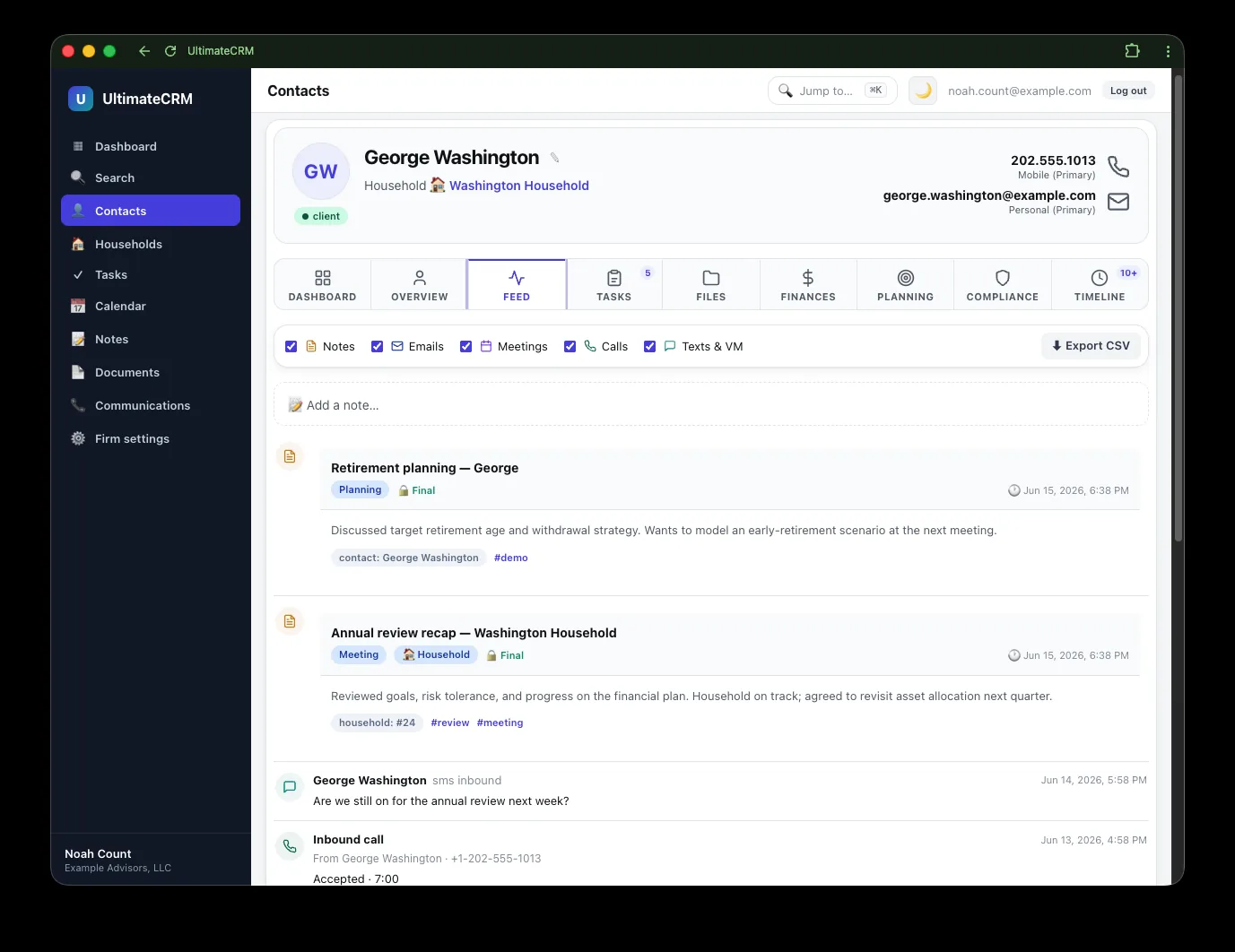
Email, calendar events, calls, texts, and your own notes flow into a single chronological feed on each contact. Open a client and instantly see the whole story of the relationship.
- Microsoft 365 or Google Workspace email and calendar, synced automatically (Workspace connect pending Google's verification)
- Calls, SMS, MMS, and voicemail logged in line — RingCentral, Zoom Phone, or Teams voicemail
- Editable notes with rich text and tables
- Reusable note and task templates to keep things consistent
- Export any contact's or household's timeline to CSV
Client experience
Give clients a window, not your inbox
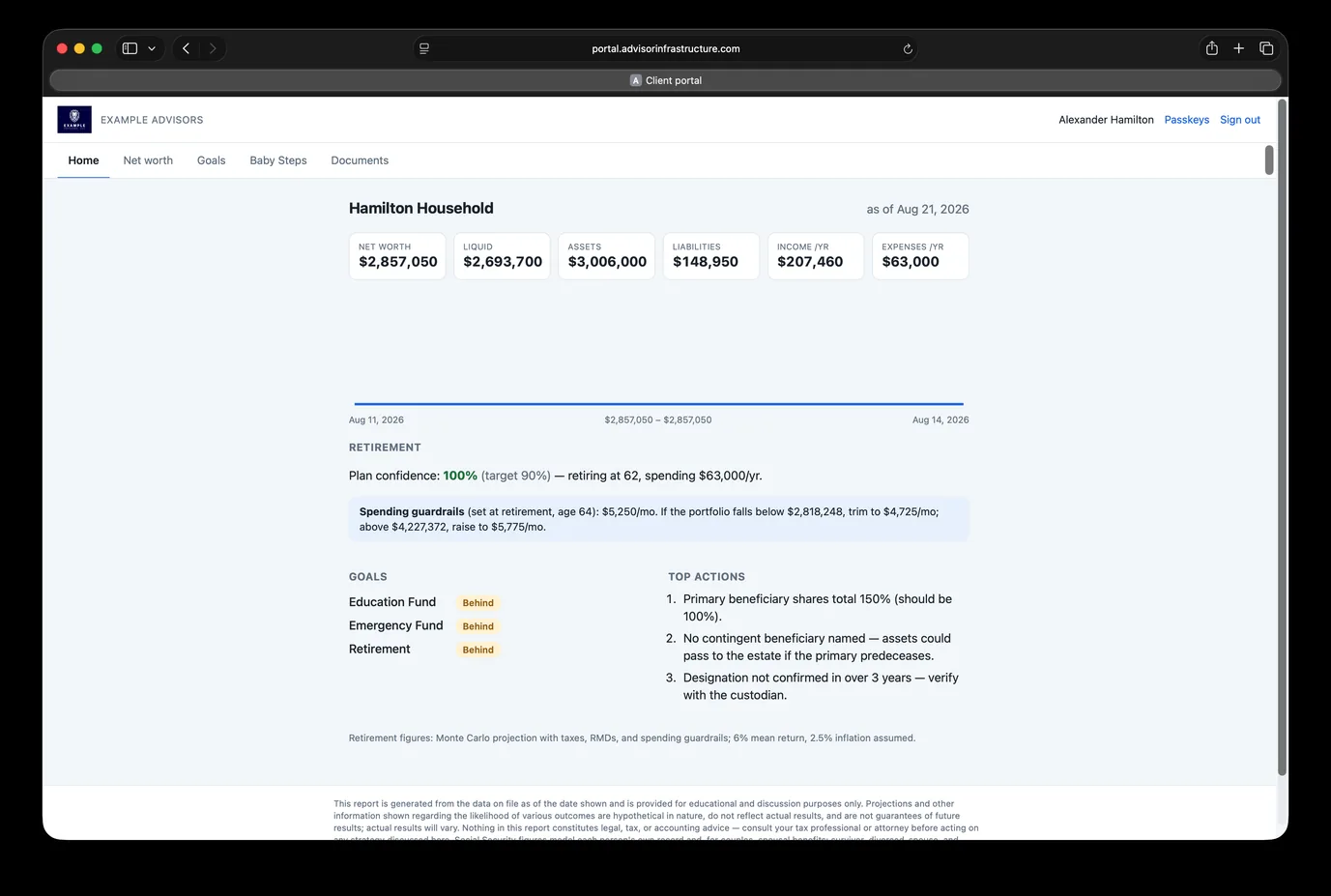
Invite a household into a read-only portal on its own separate site. Clients see the plan and the documents you chose to share, and can upload the ones you asked for — without a single "can you resend that?" email.
- You decide per household exactly which surfaces a client can see
- Read-only by design — clients can never change a record in your CRM
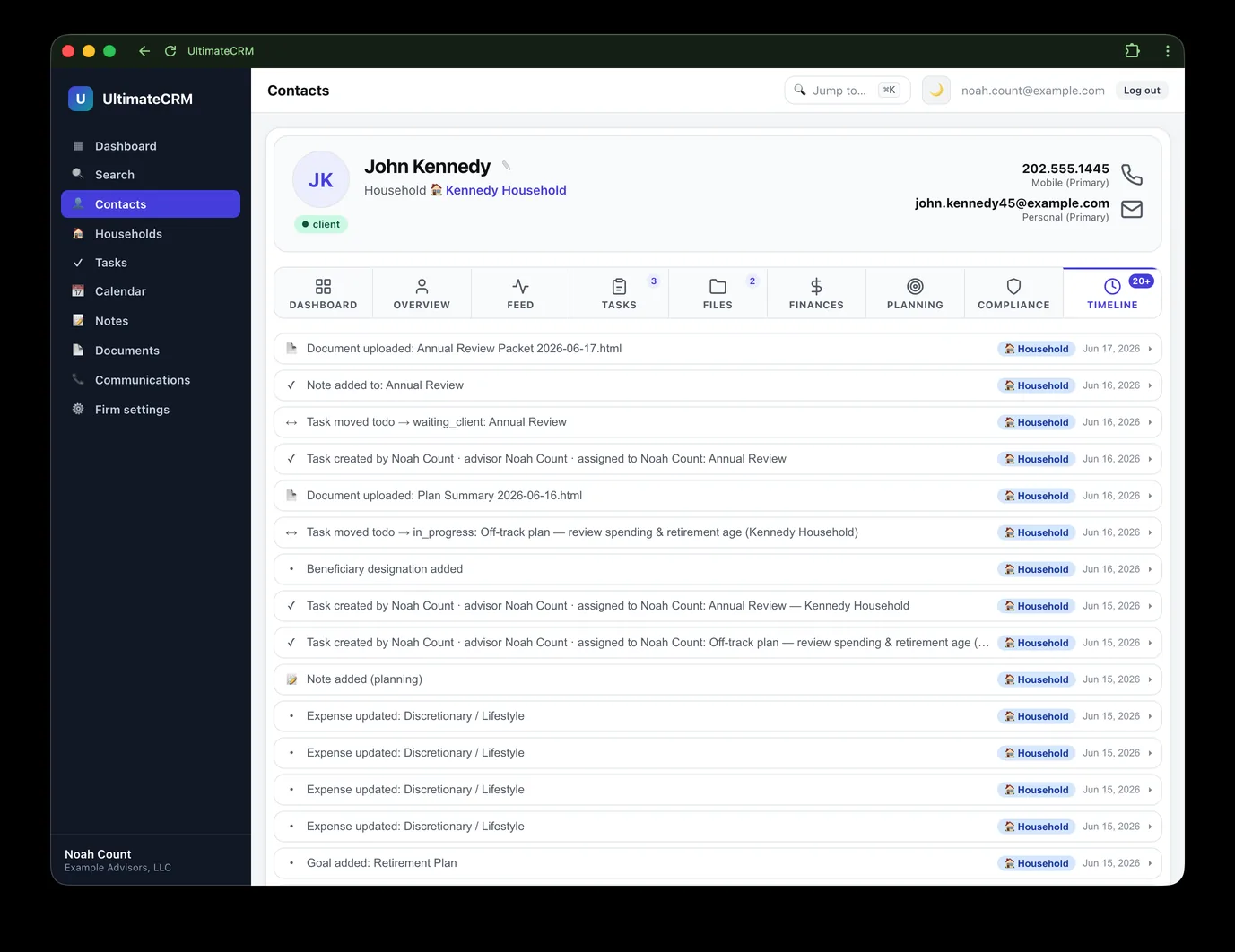
- Client uploads land in a private vault, with the trail on the household timeline
- Clients can sign in with a passkey, same as your advisors
- Clients read and accept their Investment Policy Statement in the portal, and the acceptance is recorded on that version
- Runs on its own hostname, so the portal is never the CRM
- Client logins are free — they never count as a billed seat
Pipeline & productivity
Move work forward, every day
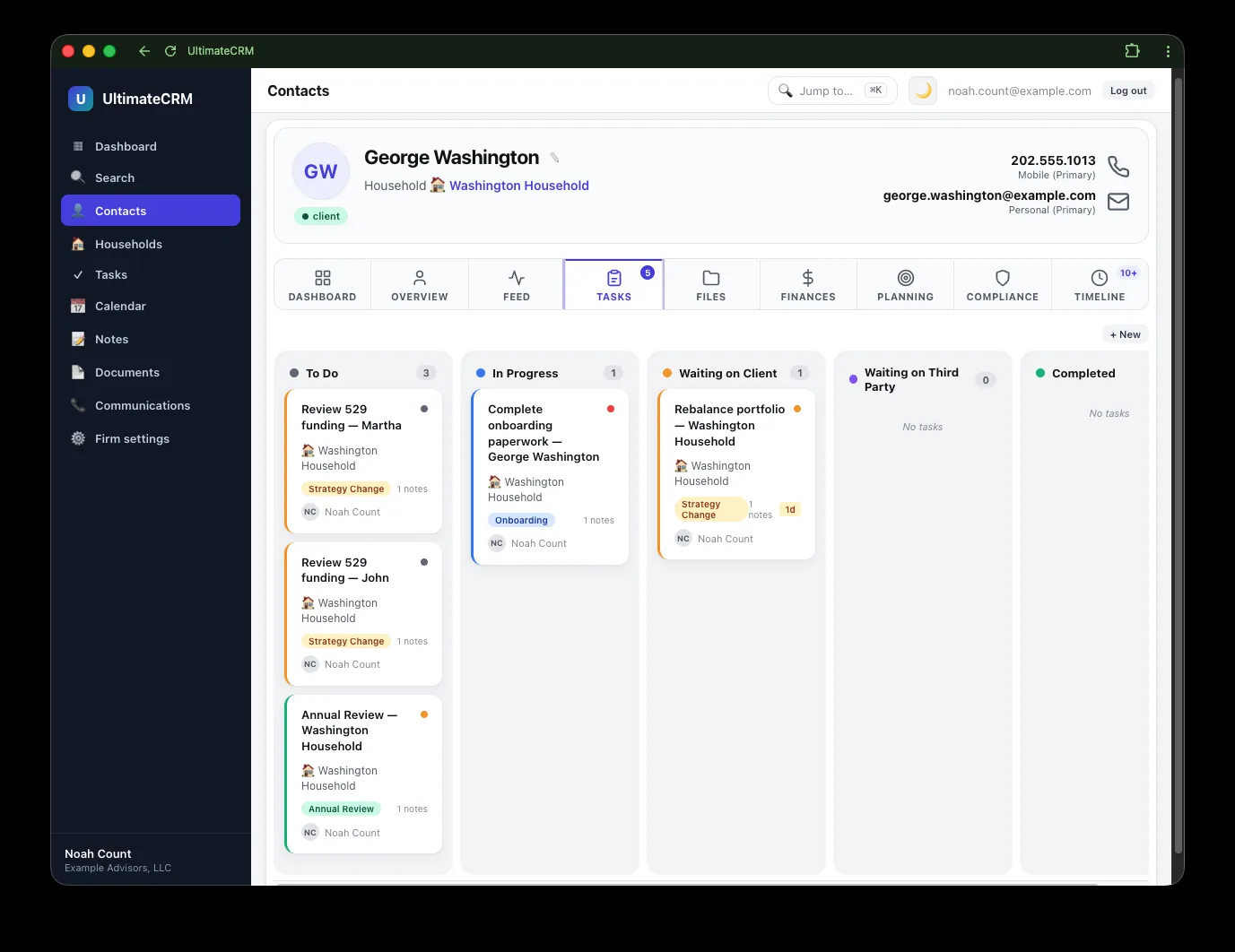
Move the firm's work across a visual board, and keep the team aligned with tasks and templates so the right follow-up always happens at the right time.
- Drag-and-drop task board — To do, In progress, Waiting on client, Waiting on third party, Completed
- Tasks with admin-defined templates that prefill the details
- Automatic lead creation from connected lead sources and new bookings
- Task-template bundles that lay out a whole checklist at once
- Per-advisor settings, timezones, and notifications
Security & platform
Secure by design, on every plan
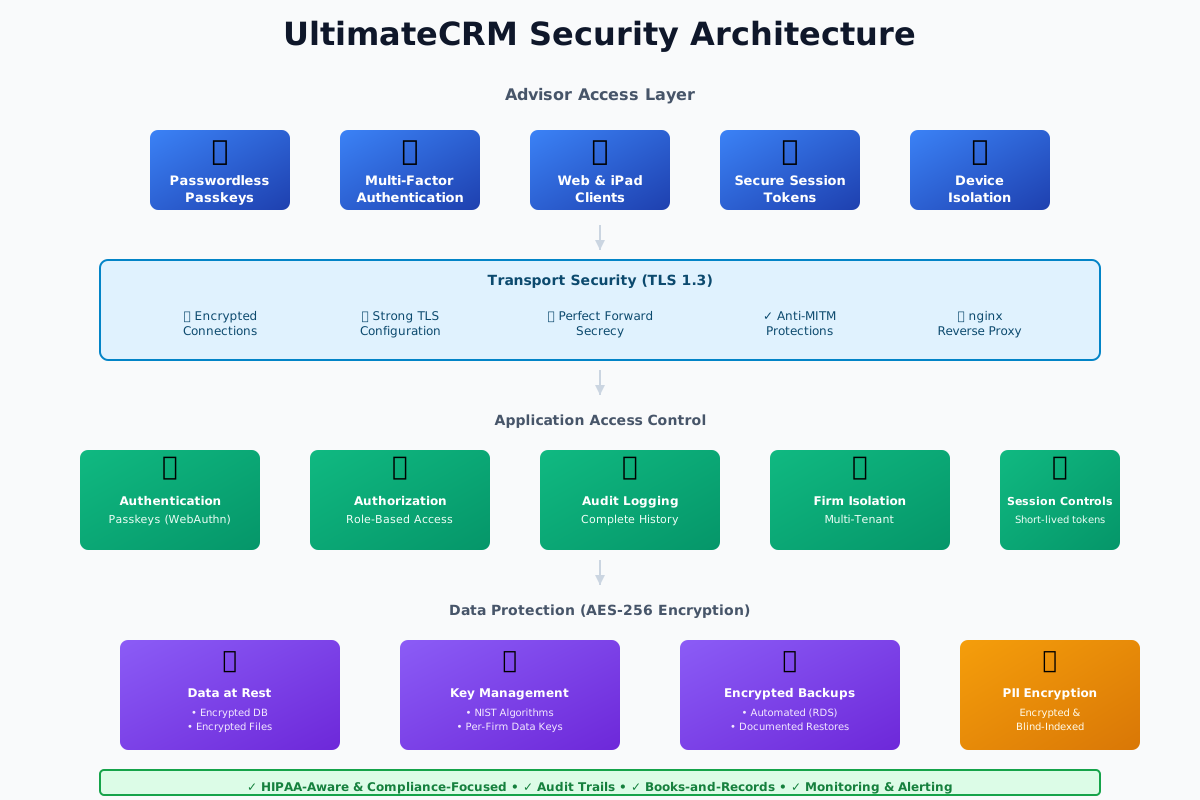
Security is not a tier. Encryption, passkeys, the firm MFA policy, tenant isolation, the audit trail, and data export are included on the entry plan and every plan above it — charging extra for access to your own records is not something we're willing to do.
- Each firm's data encrypted under a key unique to that firm
- Passwordless passkey sign-in (Face ID, Touch ID, Windows Hello, security keys)
- A firm-wide require-passkey policy that satisfies MFA
- Tenant isolation enforced in PostgreSQL itself with row-level security
- A complete audit trail of creates, edits, and deletions
- A System health page that tells you when an integration stops delivering records
And plenty more
The details that add up
Current tax tables
Brackets, capital gains, IRMAA, and QCD rules kept up to date so planning numbers stay accurate.
Social Security planning
Model individual and spousal benefit strategies as part of the retirement picture.
Baby Steps tracking
Progress through foundational financial milestones, derived automatically from each household's finances.
Document vault
An organized, per-household folder tree keeps statements, agreements, and notes exactly where you expect them.
Smart contact photos
Encrypted photo storage with an automatic fallback so your contact list always looks polished.
Per-advisor timezones
Times display correctly for every advisor, with consistent UTC storage under the hood.
Client self-scheduling
A Calendly-style booking page for your firm: clients pick a slot, it lands on your connected calendar, and new prospects become leads automatically. Booking reads and writes a connected mailbox, so it starts on the Professional plan.
One-click exam packet
Produce a ZIP with the document register, the retention schedule, and the underlying files — the thing an examiner's first request actually asks for.
System health
A page and a banner that say when a mailbox or phone connection stopped delivering records — including the silent failure where nothing errors and nothing arrives.
Storage you can see
A live meter of what your firm is using, broken down by documents, attachments, recordings, and photos. No counting in secret.
Global fuzzy search
Find any contact, household, or note in a keystroke with typo-tolerant full-text search.
Relationship mapping
Link family members, professionals, and referral sources so the full network is visible.
Tags & segmentation
Flexible tagging lets you slice your book of business any way your practice works.
Audit trail
Every create, edit, and deletion is recorded, giving you a defensible history of changes.
Telephony capture
Calls, texts, and voicemail from RingCentral, Zoom Phone, or Teams are ingested read-only for books and records. Recording archives are a Max-plan feature.
Client signals at a glance
Each contact's Overview opens with a plain-language read on the relationship — retirement confidence, Baby Steps progress, and beneficiary flags, drawn from the tabs that have them. Every sentence is derived from your own data, not generated.
Migration, done for you
Leaving Redtail? Our team imports your contacts, organizations, households, and note history. Notes keep their original date and author and arrive as finalized records, so the timeline reads true from day one.
Multi-firm on Postgres
Runs on managed PostgreSQL at AWS, with every firm's rows fenced off by database-enforced row-level security.
See it with your own clients
Create your firm's workspace and bring your first household into UltimateCRM in minutes. 7 days free.